Ongoing · Design, build & operations
Home Lab
A two-node Proxmox lab on rack-mount hardware, reachable only over Tailscale, with an M4 Mac mini as the gateway to everything.
Role
Design, build & operations
Timeline
Ongoing
Stack
Proxmox · Kubernetes · Tailscale · Docker · MikroTik · Cloudflare DNS
Architecture
Internet
Public edge
Tailscale
The only way in
Mac mini M4
Gateway · subnet router
MikroTik
Lab router
Proxmox ×2
DL380 G7 · R220
VMs & k8s
Jellyfin, Immich, games
Overview
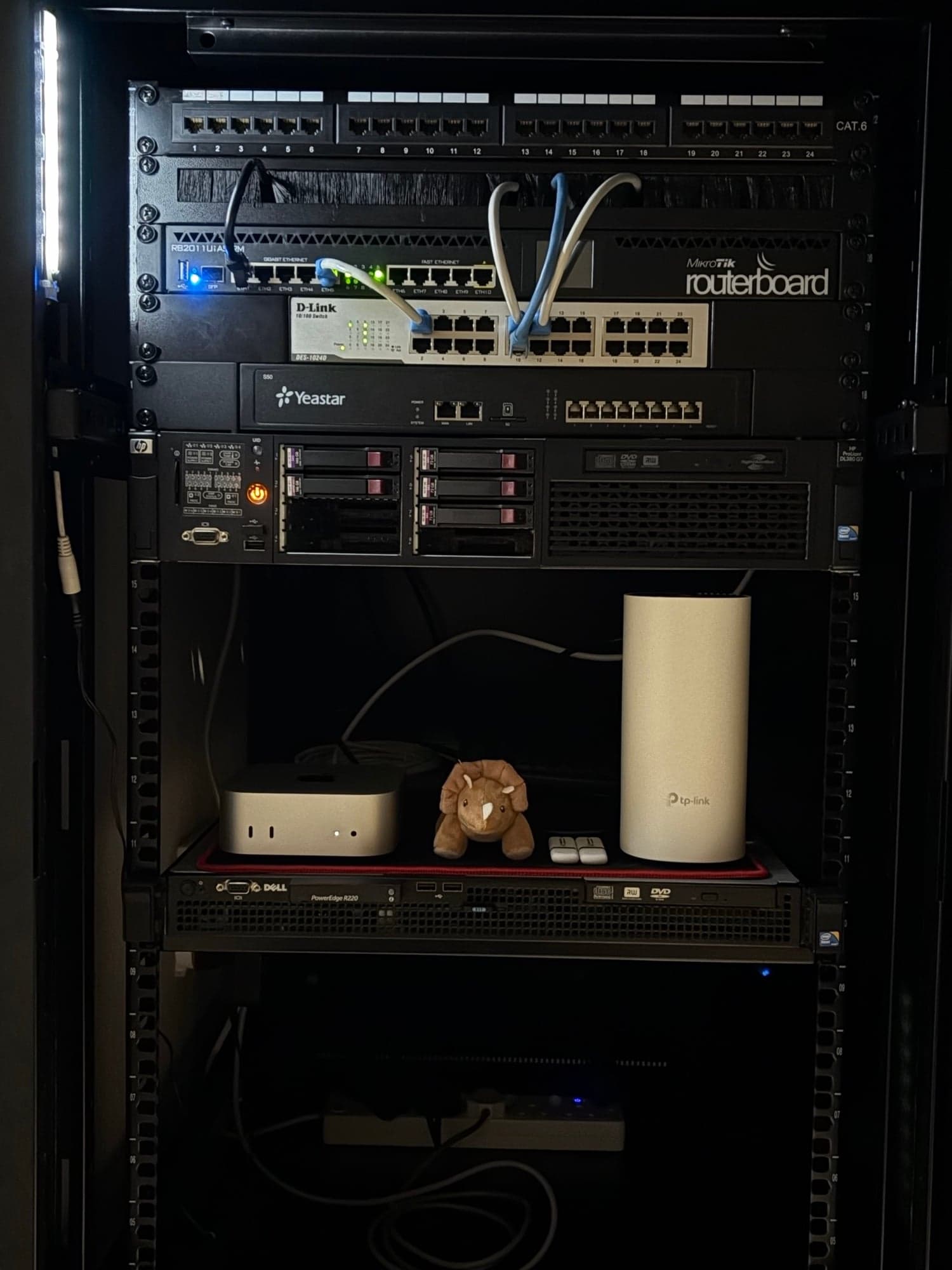
Everything I ship runs on infrastructure somewhere, so I built my own to understand it properly. An HP ProLiant DL380 G7 with two Xeons, 144 GB of RAM and hardware RAID runs Proxmox and the VMs for every service. A Dell PowerEdge R220 runs a second Proxmox node for Kubernetes clusters and experiments.
An M4 Mac mini sits at the front as the gateway and Tailscale subnet router. It is the only way in: nothing on the lab is exposed to the internet, and the whole network sits behind a MikroTik RouterBoard and a D-Link switch, separate from the household TP-Link Deco mesh.
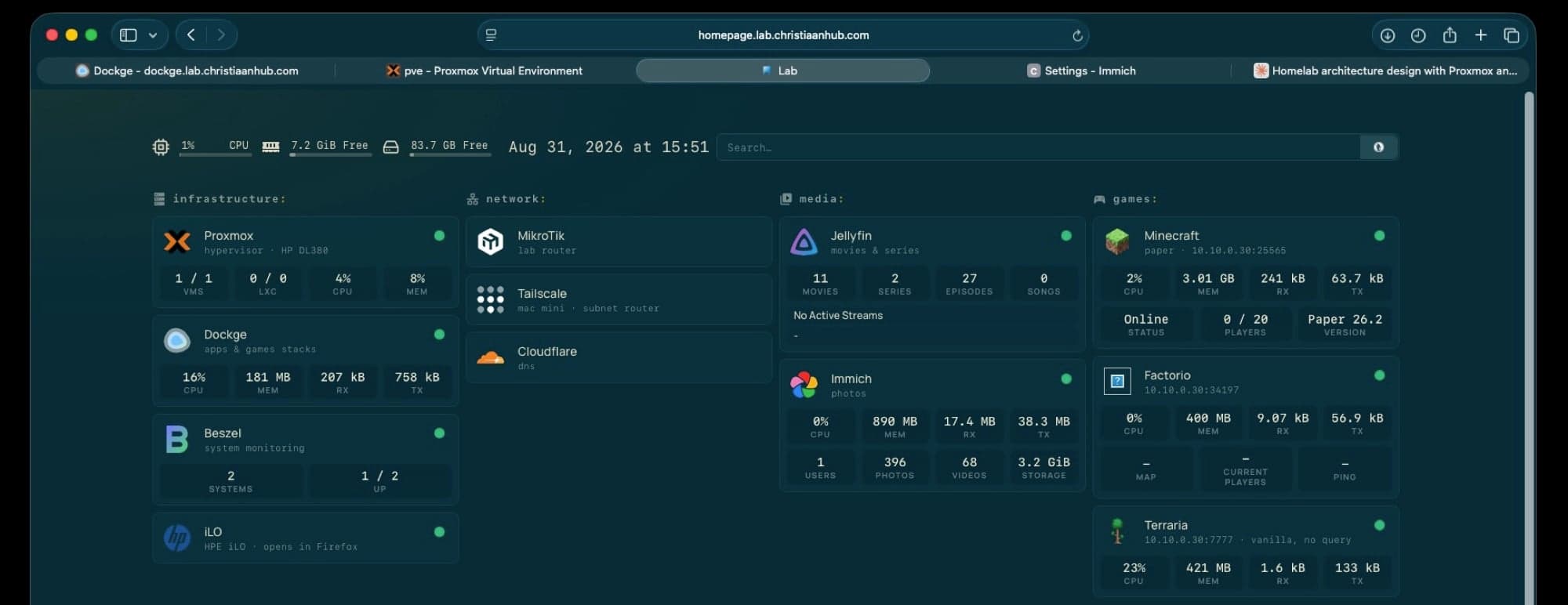
On top run the things I actually use: Jellyfin for my DVD collection, Immich for photos, Minecraft, Factorio and Terraria servers for friends, Dockge for the compose stacks, Beszel for monitoring, and a Homepage dashboard that ties it all together. Cloudflare handles DNS.
Two Proxmox nodes
A DL380 G7 for services, an R220 for Kubernetes and experiments.
Tailscale only
Nothing on the lab is reachable without the tunnel.
M4 Mac mini gateway
One always-on entry point and subnet router.
Kubernetes to learn on
Clusters to break, rebuild and deploy to before anything goes public.
Hardware
HP ProLiant DL380 G7
2× Xeon · 144 GB RAM · RAID · Proxmox, all service VMs
Dell PowerEdge R220
Proxmox · Kubernetes clusters and experiments
Mac mini M4
Gateway · Tailscale subnet router
MikroTik RouterBoard
Lab router and firewall
D-Link switch
Unmanaged gigabit switching for the rack
TP-Link Deco
Household mesh, kept separate from the lab
Gallery